To access media shared in chat (including unlocked, free, or paid content), follow these steps:
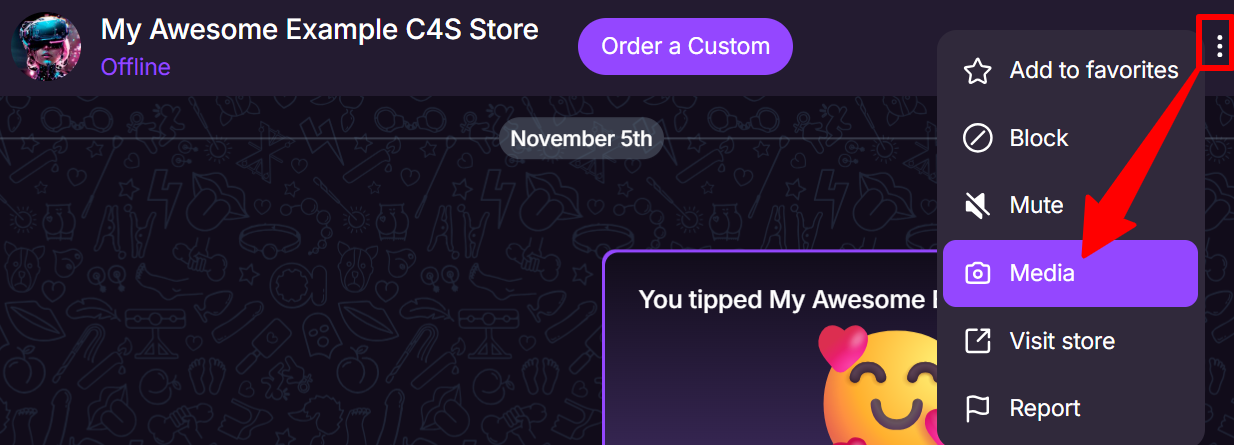
- Click the three-dot menu in the chat conversation (upper right corner).
- Select Media to open all media shared within that chat.
- Locate the file you would like to access.
- Right-click the item and select Save (or Save As):
- This applies to free media, as well as content you have successfully unlocked or purchased.
If you are unable to locate the media, please double-check that the content has been unlocked or purchased successfully and that you are viewing the correct conversation.